Archives: Custom Solutions

  • Smart Grid Distribution Cabinet Cold-Weather Protection

    Smart Grid Distribution Cabinet Cold-Weather Protection

    Application context

    Smart-grid and utility cabinets contain protection relays, meters, communication modules, sensors, batteries, and control equipment. These components may be installed in remote locations where wind, snow, and rapid nighttime cooling are common.

    This representative solution applies to outdoor distribution, automation, metering, and communication cabinets. It focuses on minimum operating temperature, condensation on cold surfaces, and reliable thermostat control. It is not a report of a specific customer installation.

    Why cold weather creates reliability risk

    The first issue is equipment that falls below its minimum operating temperature. Batteries may lose capacity, displays may slow, and relays or mechanical parts may operate inconsistently.

    The second issue is condensation. A metal cabinet wall can cool faster than the air inside. Moisture then forms on equipment even if the cabinet has an IP-rated door and no visible leak.

    Wind and exposed mounting surfaces increase heat loss. A heating system selected only for average winter temperature may still fail during the coldest night.
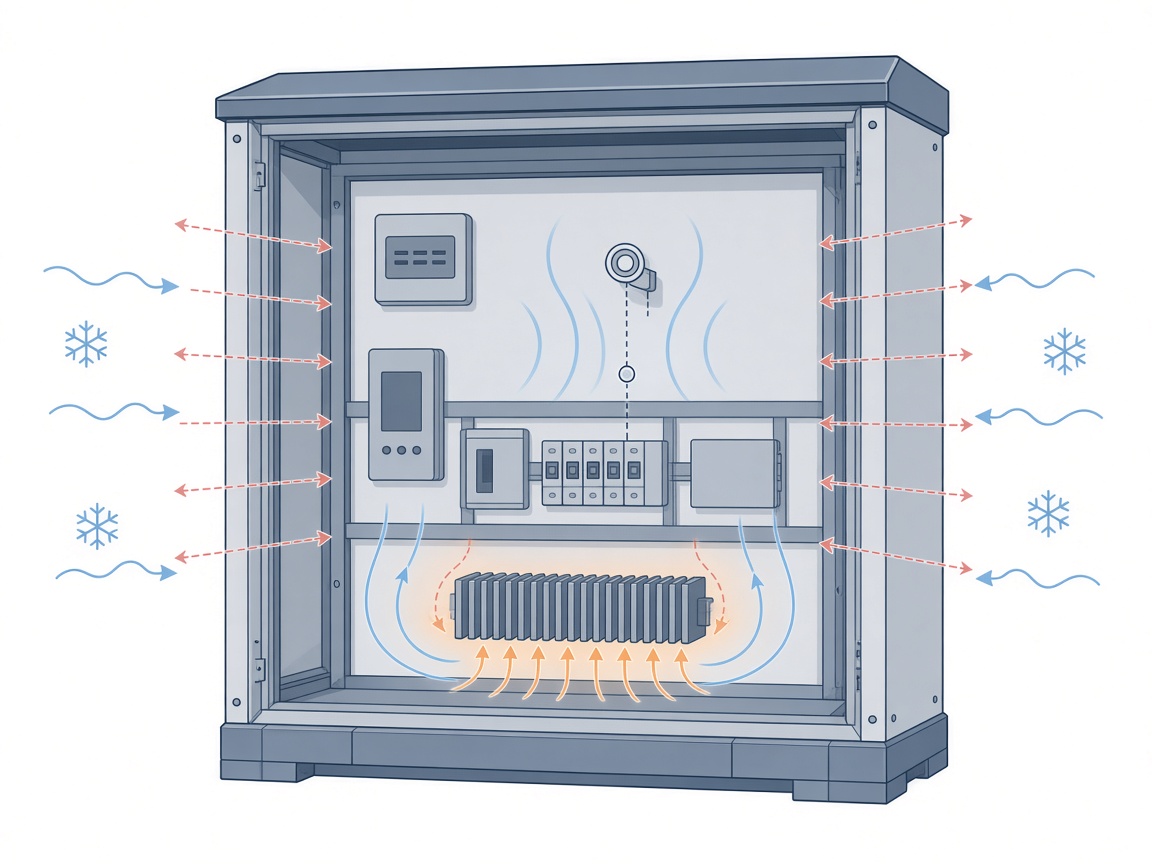
    Heat loss, sensor location, and heater placement in a smart grid distribution cabinet

    Conditions to verify

    • Lowest expected ambient temperature and wind exposure
    • Minimum operating temperature of critical equipment
    • Enclosure dimensions, material, insulation, and mounting
    • Heat loss through walls, doors, and cable entries
    • Internal heat generated by meters, relays, and communication devices
    • Available AC or DC voltage and circuit protection
    • Temperature or humidity control requirement
    • Maintenance access and remote monitoring capability

    Recommended NOXT configuration

    Function Recommended product family Role in the application
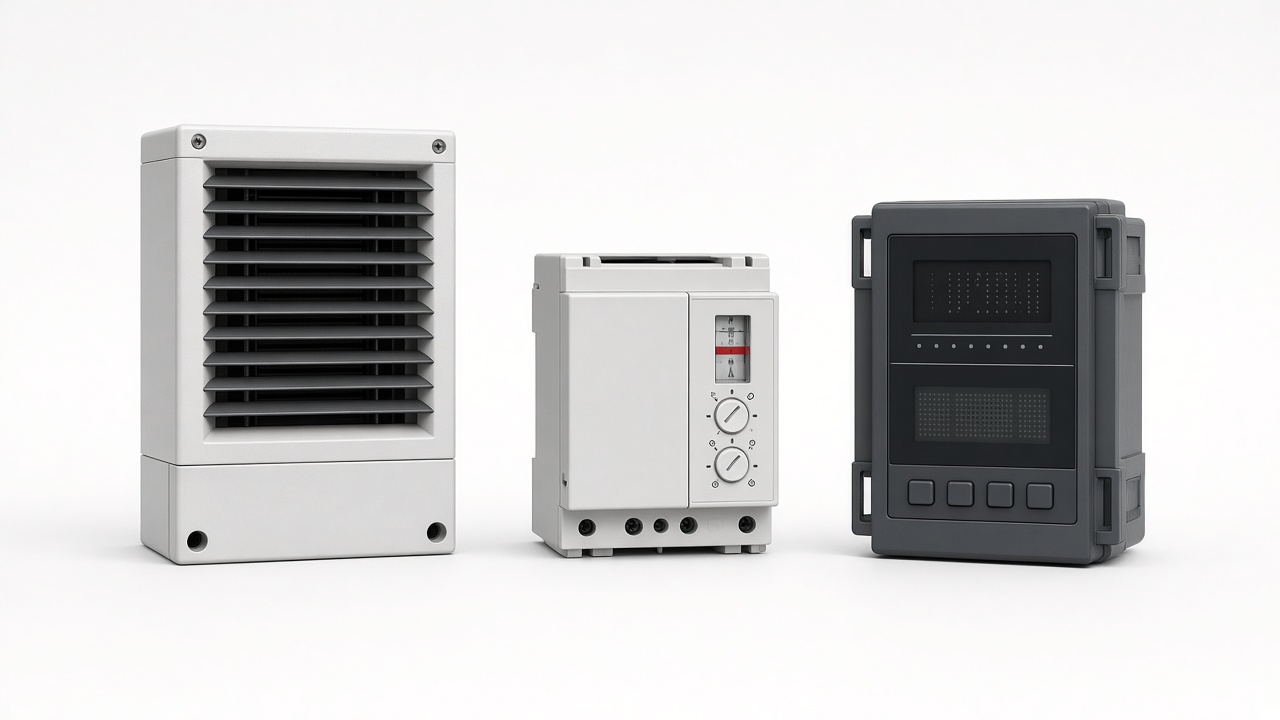
    Compact cabinet heating HG 040 or HG 140 Maintain minimum temperature and protect cold surfaces
    Larger cabinet heating HG 340, RC 016, or HV 031 Provide higher heating capacity for larger or exposed cabinets
    Temperature switching KTS 011/KTO 011, ETY 011, or ETR 011 Turn heating on and off at the required setpoint
    Temperature and humidity control ETF 012 or ETY 031 Support combined dew-point and temperature control
    Status or alarm output Relay or RS485-compatible controller option Send alarm and operating status to a remote system
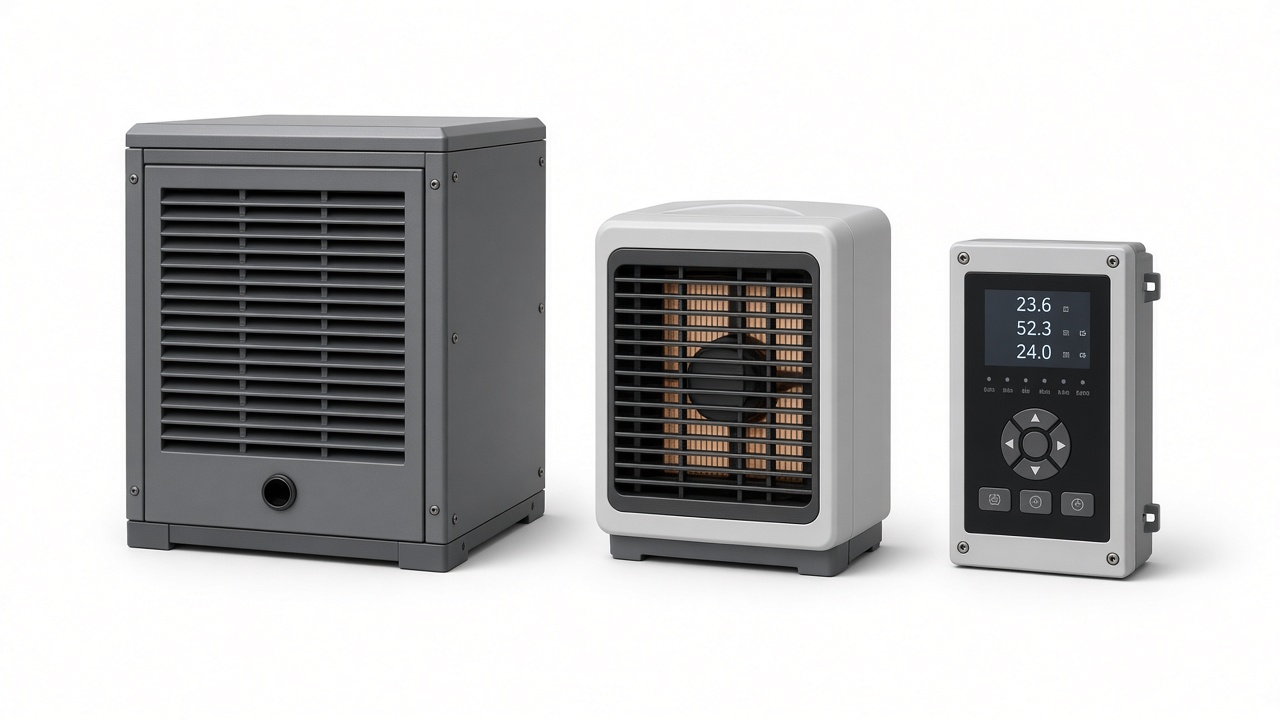
    NOXT enclosure heater, thermostat, and controller for smart grid cabinet cold-weather protection

    Selection logic

    Heater power should be based on heat loss, not enclosure volume alone. The calculation should include cabinet surface area, insulation, minimum ambient temperature, target internal temperature, and internal heat load.

    A thermostat is recommended even when a PTC heater is self-limiting. Control reduces energy use and keeps the cabinet closer to the target temperature.

    For cabinets exposed to both cold and humidity, a combined temperature and humidity controller may be more useful than a temperature-only thermostat. This allows heating to respond to both low temperature and dew-point risk.
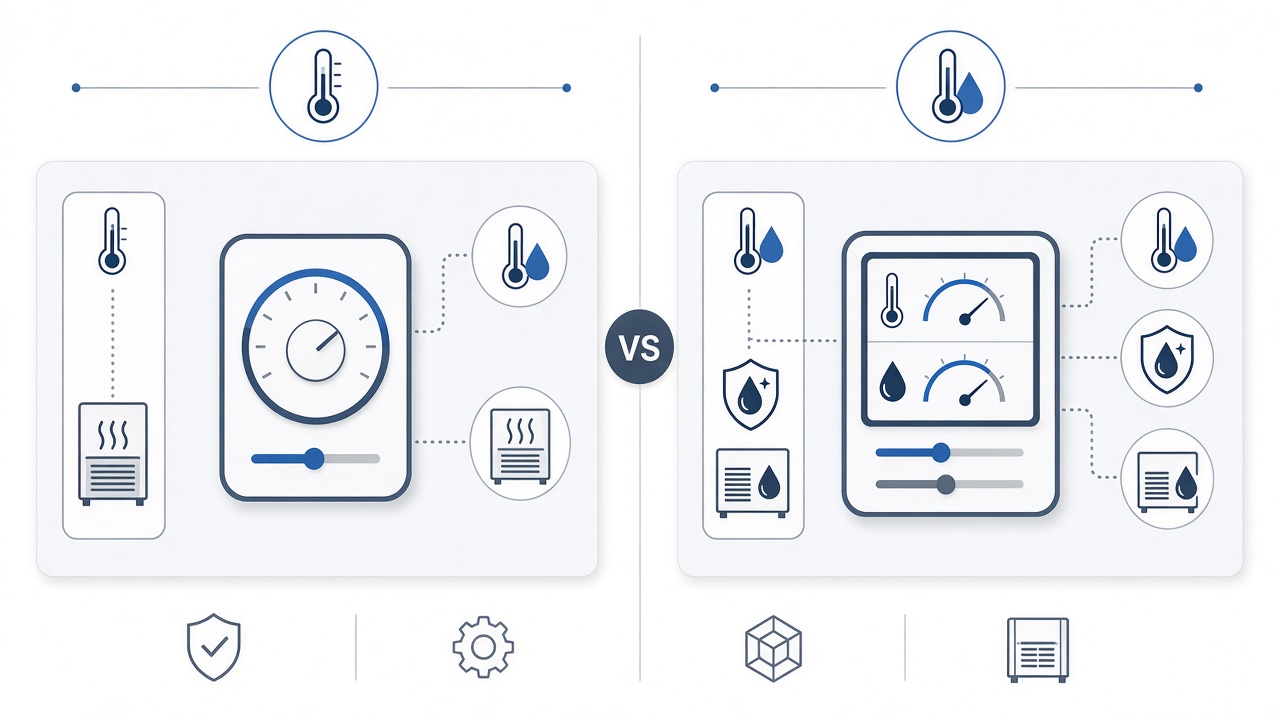
    Comparison of temperature-only control versus combined temperature and humidity control

    Installation guidance

    • Mount the heater where natural convection can distribute heat.
    • Keep the heater away from cables, plastic parts, and temperature-sensitive components.
    • Place the sensor in the air volume around the protected equipment.
    • Check current capacity and terminal temperature ratings.
    • Use insulation where heat loss is high or heater power is limited.
    • Label the heater circuit and setpoint for future maintenance.
    • Verify operation during the coldest expected period when possible.

    Maintenance checklist

    • Inspect heater terminals and wiring for looseness or discoloration.
    • Confirm thermostat operation at the required setpoint.
    • Check door seals, cable entries, and insulation.
    • Review alarm history after severe weather.
    • Replace damaged components before the next cold season.

    Frequently asked questions

    At what temperature should a smart-grid cabinet heater start?

    The setpoint depends on the minimum operating temperature of the equipment and on condensation risk. It should be based on the actual components and site conditions.

    Do PTC heaters need a thermostat?

    A thermostat is recommended to maintain the target temperature and reduce unnecessary energy consumption.

    Can heating prevent condensation?

    Controlled heating can keep critical surfaces above the dew point. Dehumidification may also be required when the absolute moisture content is high.

    Which product family should be used for a large cabinet?

    Larger or poorly insulated cabinets may require HG 340, RC 016, or HV 031, but final selection must follow a heat-loss calculation and available power.
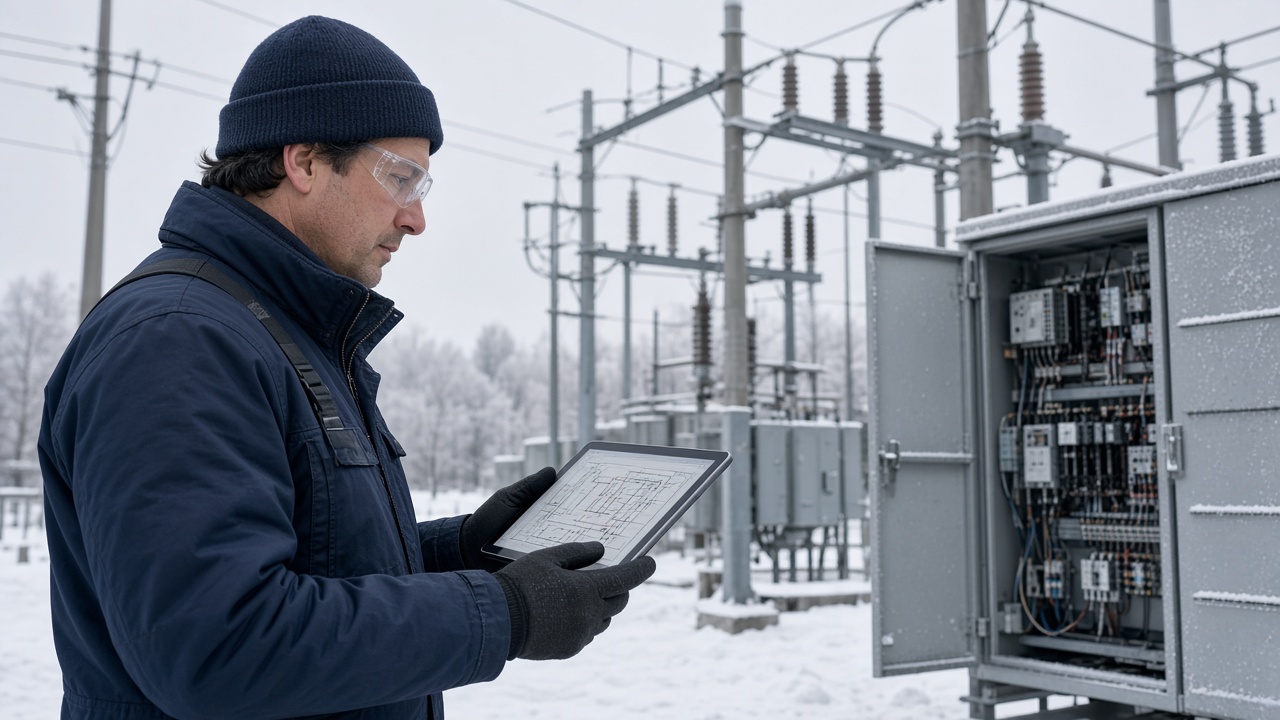
    Utility engineering review for smart grid cabinet cold-weather protection

    Next step

    Provide the cabinet dimensions, insulation, lowest ambient temperature, critical equipment limits, available power, and monitoring requirements. NOXT can help prepare a representative heating and control configuration for engineering review.
  • Outdoor Telecom Cabinet Condensation Control

    Outdoor Telecom Cabinet Condensation Control

    Application context

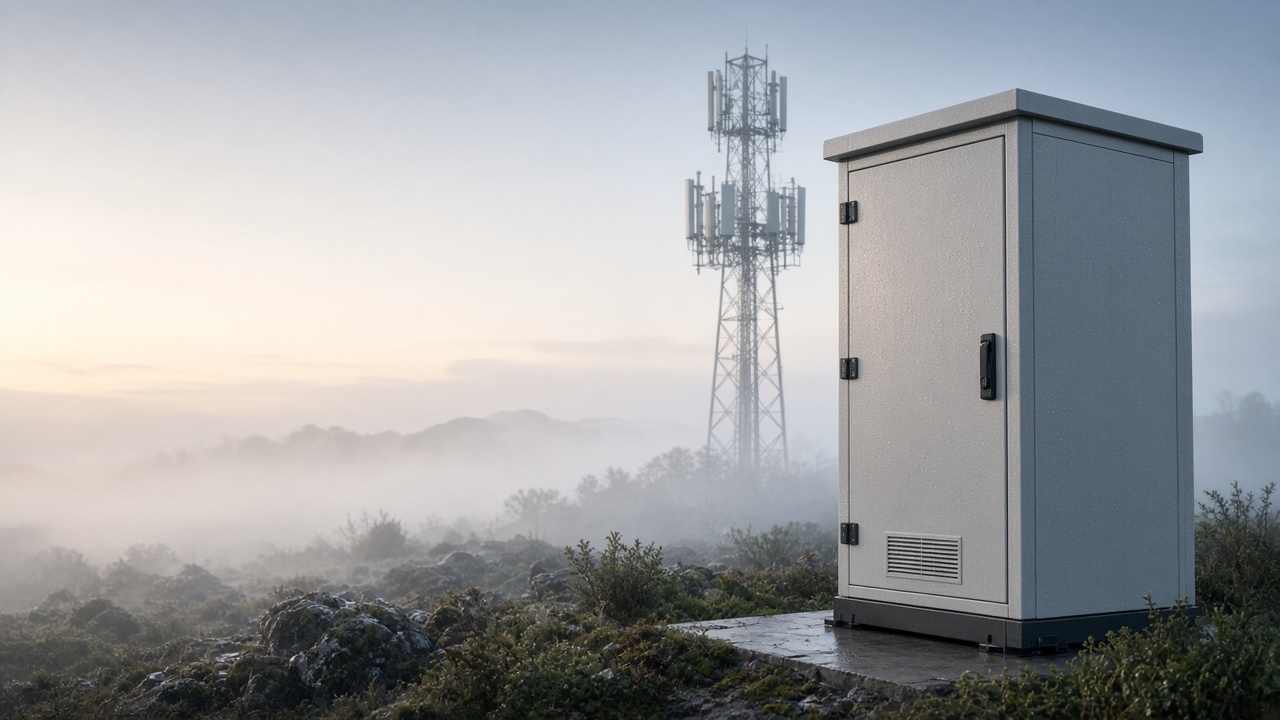
    Outdoor telecom and 5G cabinets operate through cool nights, humid mornings, wind-driven rain, and rapid temperature changes. Metal surfaces and equipment can fall below the dew point, causing moisture to form inside a cabinet even when the door gasket remains intact.

    This representative solution is intended for telecom cabinets where condensation causes corrosion, intermittent communication faults, or recurring maintenance visits. It is not a report of a specific customer project. Final product selection depends on cabinet dimensions, climate, power, and measured conditions.

    Conditions to verify before selection

    • Internal and external temperature cycle
    • Maximum relative humidity during the wet season
    • Cabinet dimensions, material, insulation, and mounting method
    • Internal heat load from communication and power equipment
    • Existing gasket, cable-entry, vent, and drainage condition
    • Available AC or DC voltage and circuit capacity
    • Requirement for local control, remote alarms, or RS485
    • Service access and maintenance interval

    Recommended NOXT configuration

    Function Recommended product family Role in the application
    Remove internal moisture CZCS 345, CZCS 1000, CZCS 1000A, or CSSU 120 Semiconductor dehumidification for sealed telecom cabinets
    Protect cold surfaces HG 140 or HG 340 heater Raises internal temperature and reduces dew-point risk
    Control temperature and humidity ETF 012 or ETY 031 controller Automates heating and dehumidification using measured conditions
    Monitor and alarm RS485-compatible controller option Supports remote visibility and alarm signaling
    Optional ventilation TB 98/TB 99 filter fan Used only when filtered air exchange is acceptable
    NOXT dehumidifier, heater, and controller for outdoor telecom cabinet condensation control

    Why this combination works

    A dehumidifier lowers the amount of moisture in the cabinet air. A heater raises the temperature of cold surfaces that would otherwise fall below the dew point. The controller coordinates both actions and prevents unnecessary operation.

    For example, heating may activate during a cool night while dehumidification handles moisture that entered through cable glands or remained in the cabinet after installation.

    The best balance depends on the actual dew-point relationship. Using heating and dehumidification together without control logic can waste energy or create unstable conditions.

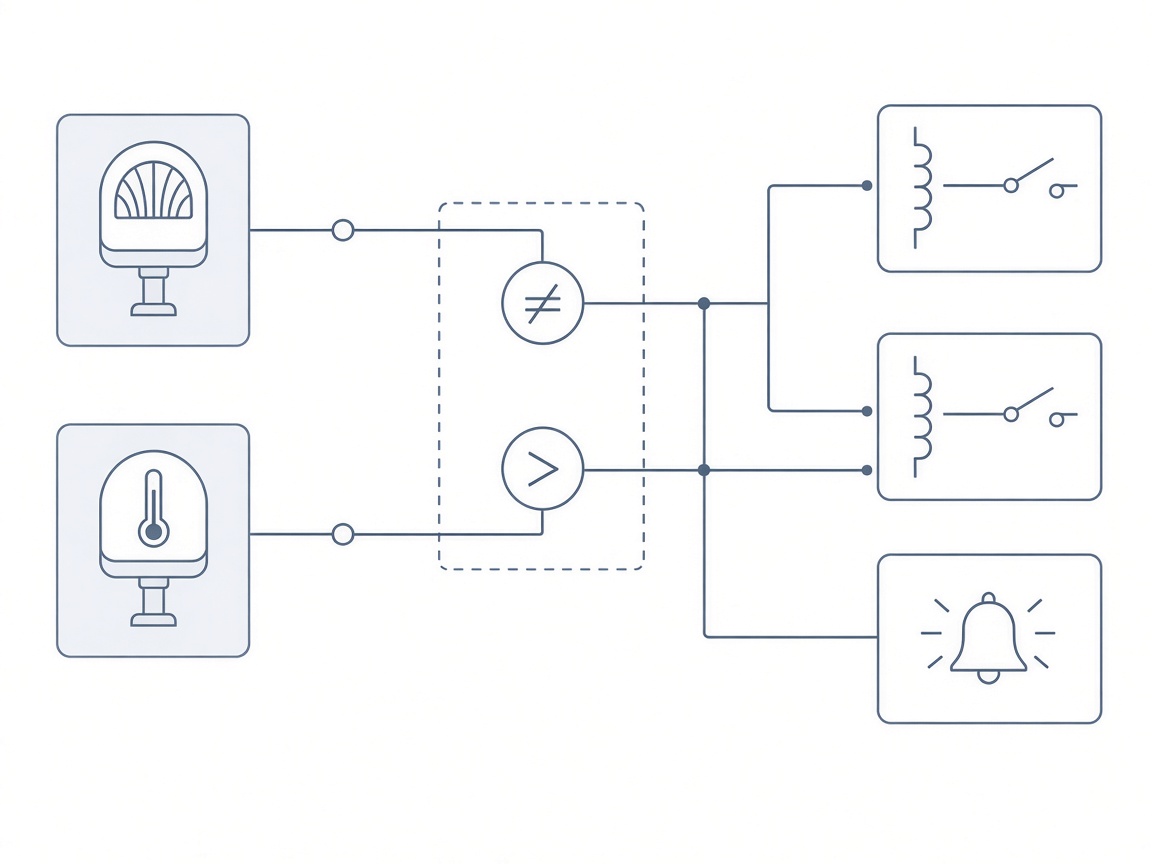
    Humidity and temperature setpoint control logic for an outdoor telecom cabinet

    Recommended control logic

    • Dehumidification starts when relative humidity exceeds the selected threshold.
    • Heating starts when cabinet temperature falls below the minimum setpoint.
    • A second heating threshold may be used when humidity remains high and surface temperature is close to the dew point.
    • Alarms activate if humidity remains high, temperature falls below the lower limit, or the dehumidifier does not respond.
    • Event data is reviewed after seasonal changes to adjust setpoints.
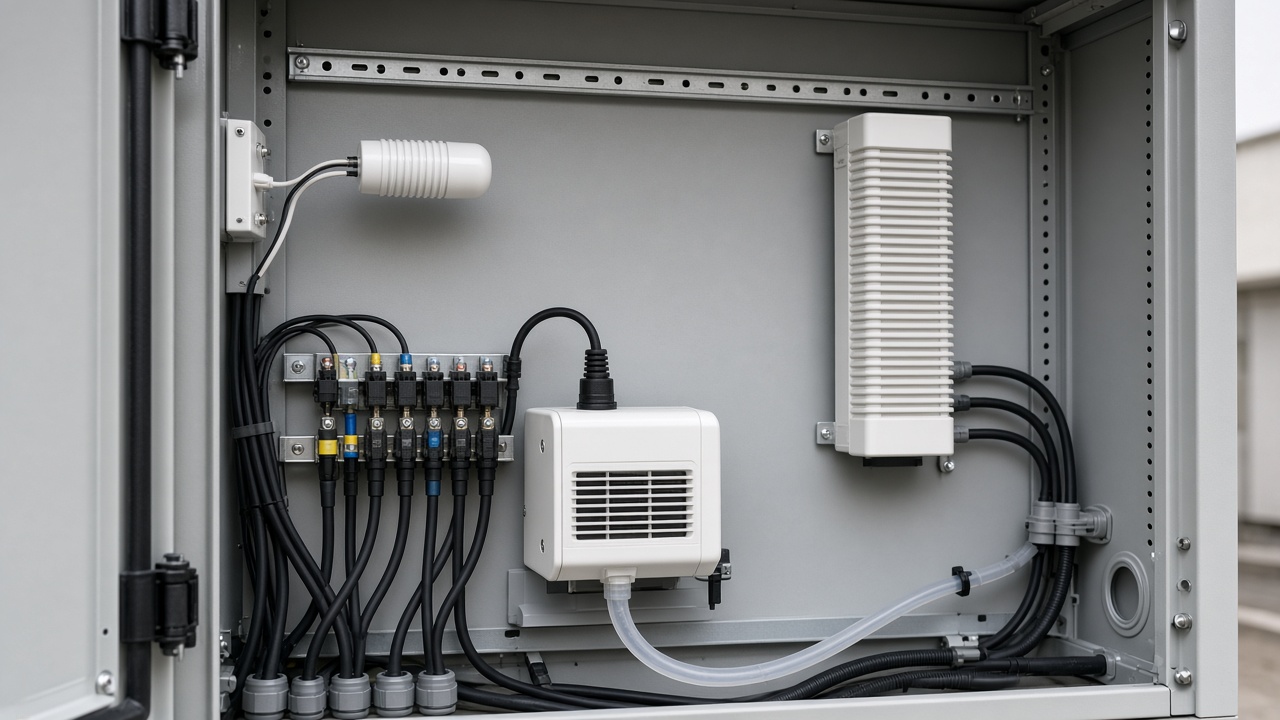
    Sensor placement and dehumidifier drainage routing inside an outdoor telecom cabinet

    Installation notes

    • Mount the humidity sensor where it represents the air around critical equipment, not next to the heater or dehumidifier outlet.
    • Keep the dehumidifier drain line clear and route it away from cable connections.
    • Maintain the required safety clearance around the heater.
    • Seal unused cable entries after installation.
    • Confirm relay capacity and control voltage before connecting heating and dehumidification loads.
    • Record thresholds and alarm logic in the cabinet documentation.

    Maintenance plan

    • Inspect door gaskets, cable entries, and drainage lines.
    • Check heater terminals and wiring for overheating or looseness.
    • Verify that humidity and temperature sensors respond correctly.
    • Review alarm history after storms and seasonal temperature changes.
    • Clean or replace filters if ventilation is part of the design.

    Frequently asked questions

    Why does an outdoor telecom cabinet collect moisture?

    Humid air can enter during installation or through cable entries. At night, metal surfaces may cool below the dew point and water begins to form.

    Is a dehumidifier enough for a 5G cabinet?

    Not always. Heating may also be required when critical surfaces fall below the dew point. The correct combination depends on climate and cabinet construction.

    Can the system send an alarm remotely?

    Yes, an RS485-compatible controller or relay output can be used to send status and alarm signals to a site monitoring system.

    Should the cabinet be ventilated?

    Only if filtered air exchange is acceptable. In humid or coastal locations, ventilation can introduce more moisture and should be reviewed as part of the dew-point strategy.

    Engineering review at a remote outdoor telecom site

    Next step

    Share the cabinet dimensions, location, power available, humidity history, and photos of the affected area. NOXT can help translate the application into a practical product and control configuration.

  • Battery Energy Storage Enclosure Climate Control

    Battery Energy Storage Enclosure Climate Control

    Application context

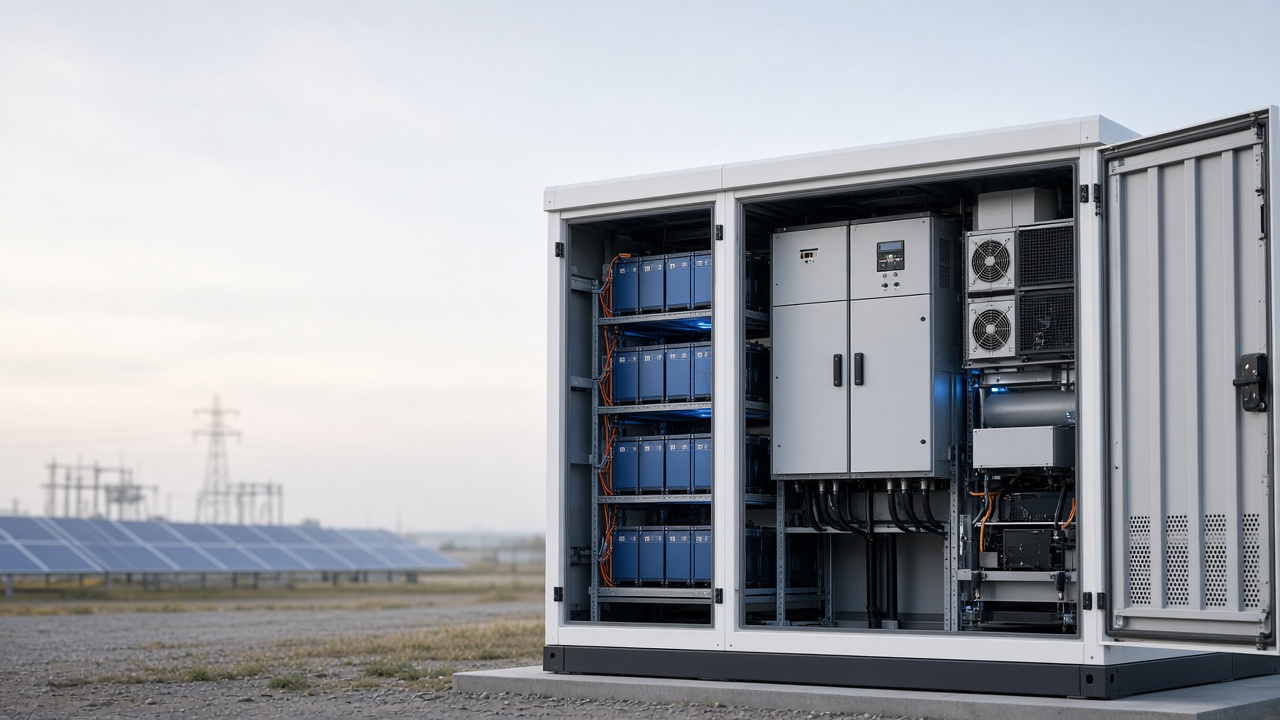
    Battery energy-storage systems combine batteries, power conversion equipment, control electronics, communication devices, and protection circuits in a confined space. Heat load can vary quickly with charging and discharging, while outdoor temperature and humidity continue to change.

    This representative solution applies to cabinet-based energy storage, power conversion, and battery management enclosures. Product selection must follow the battery manufacturer’s temperature limits, fire-safety requirements, and project standards.

    Why enclosure conditions matter

    Battery performance and service life are affected by temperature. High temperature accelerates aging. Uneven temperature between modules can cause imbalance. Humidity increases corrosion and insulation risk. Fans and filters may introduce dust or humid air if the ventilation strategy is not matched to the site.

    The objective is not only cooling. It is maintaining stable operating conditions across the full charge and discharge cycle.

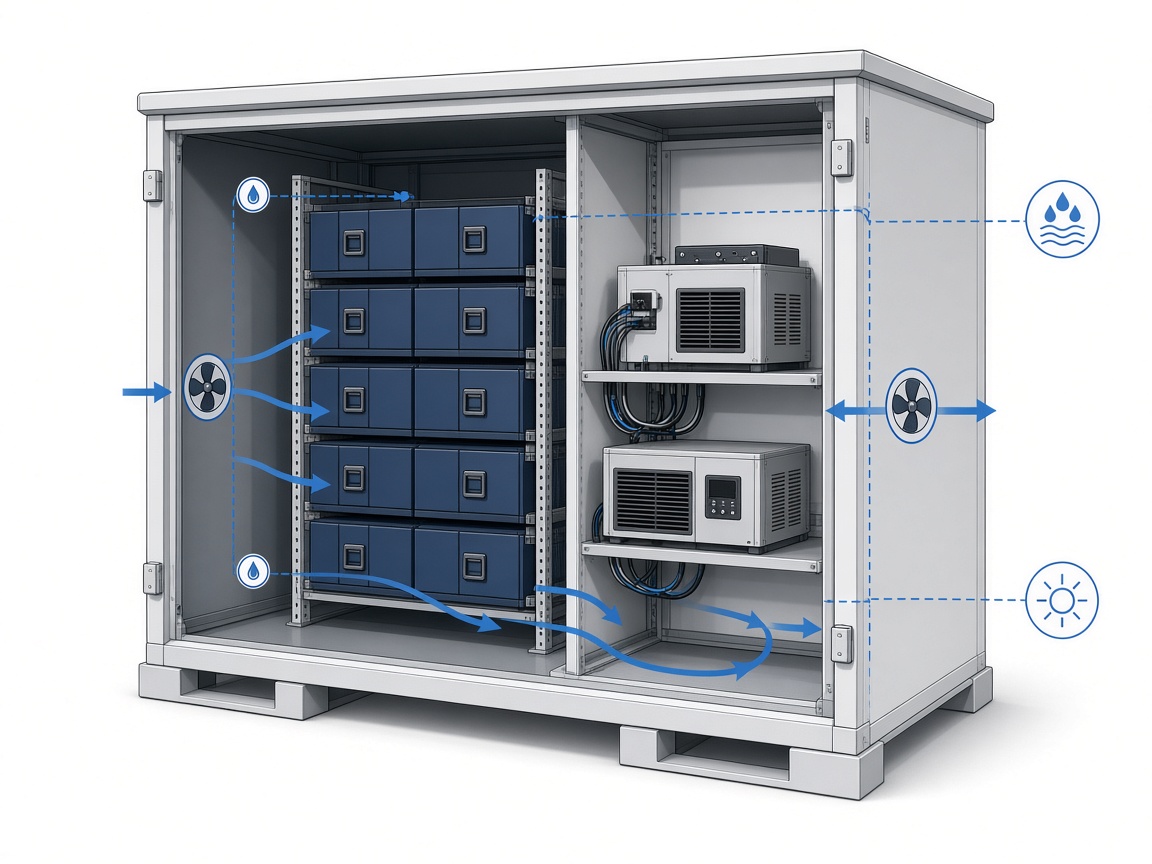
    Thermal-flow diagram showing batteries, power electronics, airflow paths, and sensors inside a BESS enclosure

    Conditions to verify

    • Battery and power-electronics temperature limits
    • Maximum heat load during charge and discharge
    • Internal airflow path and module spacing
    • Ambient temperature, solar exposure, altitude, and wind
    • Humidity, coastal exposure, and washdown requirements
    • Required enclosure IP rating and fire-protection strategy
    • Available AC or DC power and control voltage
    • Alarm, RS485, PLC, or SCADA integration requirements

    Recommended NOXT configuration

    Function Recommended product family Role in the application
    Remove moisture from sealed sections CZCS 1000A, CZCS 1000AF, or CZCS 960A Semiconductor dehumidification and condensation control
    Maintain minimum temperature HG 140 or HG 340 heater Prevents cold-start and low-temperature condensation risk
    Remove heat or balance airflow TB 98/TB 99 filter fan or F2E roof fan Supports forced-air cooling where permitted by the enclosure design
    Control temperature and humidity ETF 012 or ETY 031 controller Automates heating, dehumidification, and ventilation
    Connect to site systems RS485-compatible controller option Provides data, status, and alarm integration
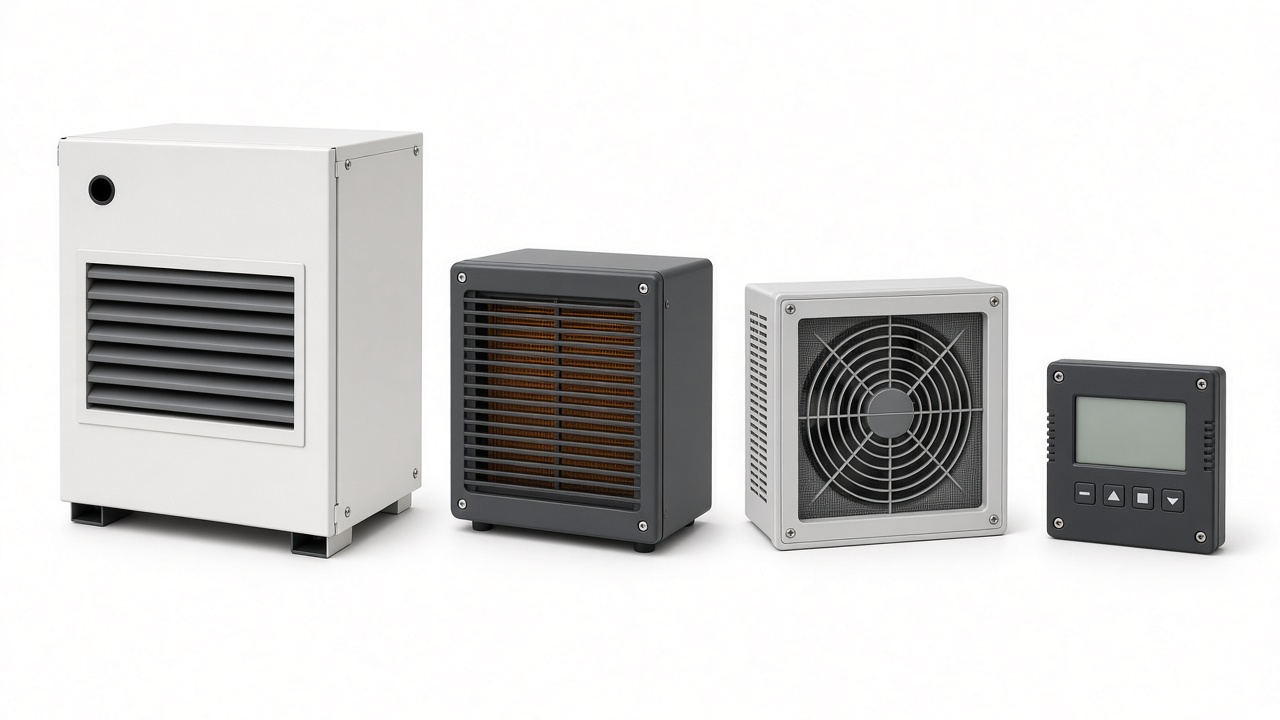
    NOXT dehumidifier, heater, filter fan, and controller for BESS enclosure climate control

    Typical control strategy

    • Temperature control keeps the battery area within the specified operating range.
    • Humidity control activates dehumidification when moisture risk rises.
    • Airflow control starts ventilation only when internal temperature and outside conditions allow it.
    • Alarm logic distinguishes high temperature, low temperature, high humidity, fan failure, and communication faults.
    • Event data is reviewed to identify charge-cycle trends and seasonal changes.
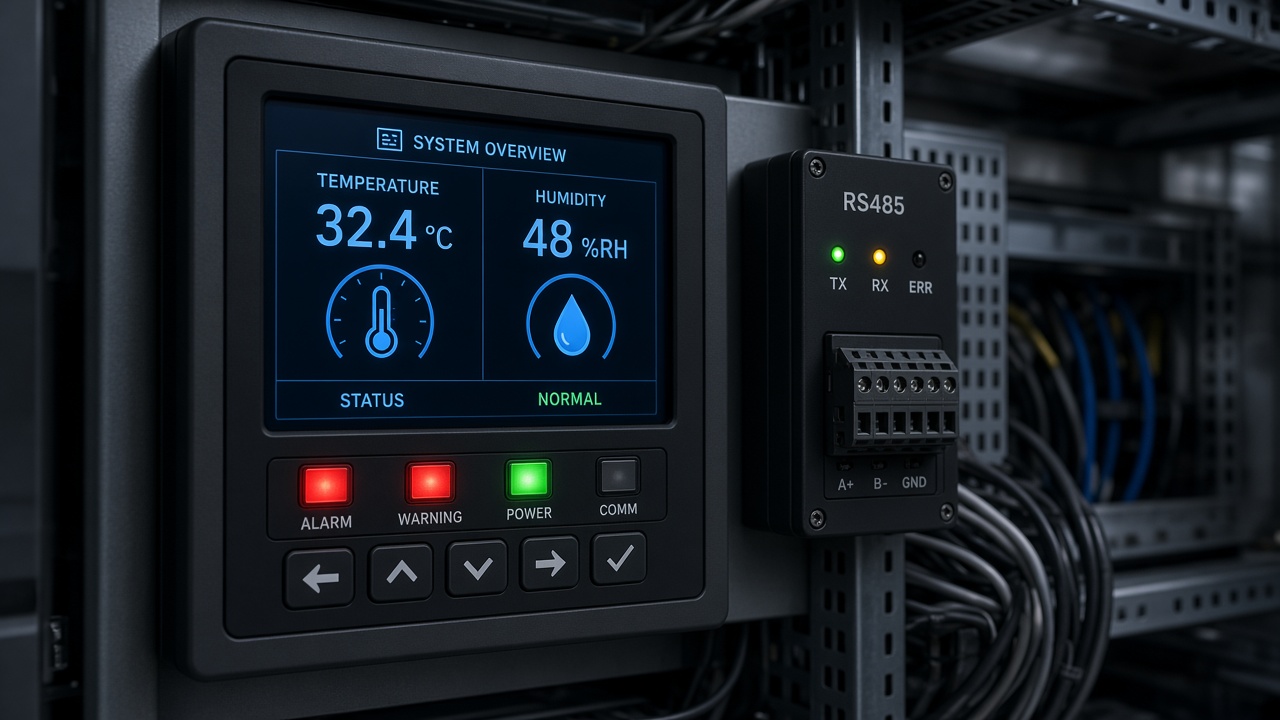
    Temperature, humidity, and alarm status monitoring for a battery energy storage enclosure

    Selection guidance

    A large energy-storage enclosure may need more than one control zone. Batteries, power electronics, and communication equipment can have different temperature limits and airflow requirements.

    Heating and dehumidification may be required for sealed sections, while filtered ventilation or active cooling may be needed in high heat-load areas. The design should avoid moving humid air from one compartment into another without considering the dew point.

    For critical sites, monitoring should continue even when remote communication is unavailable. Local protection and fail-safe behavior must be defined before the system is commissioned.

    Installation and maintenance

    • Keep temperature sensors away from direct airflow and high-current conductors.
    • Verify airflow paths around batteries and power modules.
    • Confirm filter pressure loss and cleaning intervals.
    • Check dehumidifier drainage and prevent water from reaching electrical equipment.
    • Inspect heater clearances and terminal temperatures.
    • Test alarm behavior during commissioning and scheduled maintenance.
    • Record setpoints and communication addresses in the project documentation.

    Frequently asked questions

    Does an energy-storage enclosure need both cooling and dehumidification?

    It depends on the enclosure design and climate. Cooling manages heat load, while dehumidification controls moisture. In sealed areas, both functions may be required.

    Can filtered ventilation be used for a battery cabinet?

    Only when the project design and battery requirements allow outside air. Dust, humidity, salt, and contamination must be evaluated.

    Why is temperature balance important?

    Uneven temperature can affect battery performance and aging. Airflow and sensor placement should represent the actual module conditions.

    Can NOXT controllers integrate with a BMS or SCADA system?

    RS485-compatible controllers can support integration. The protocol, addressing, data mapping, and fail-safe behavior must be confirmed for each project.

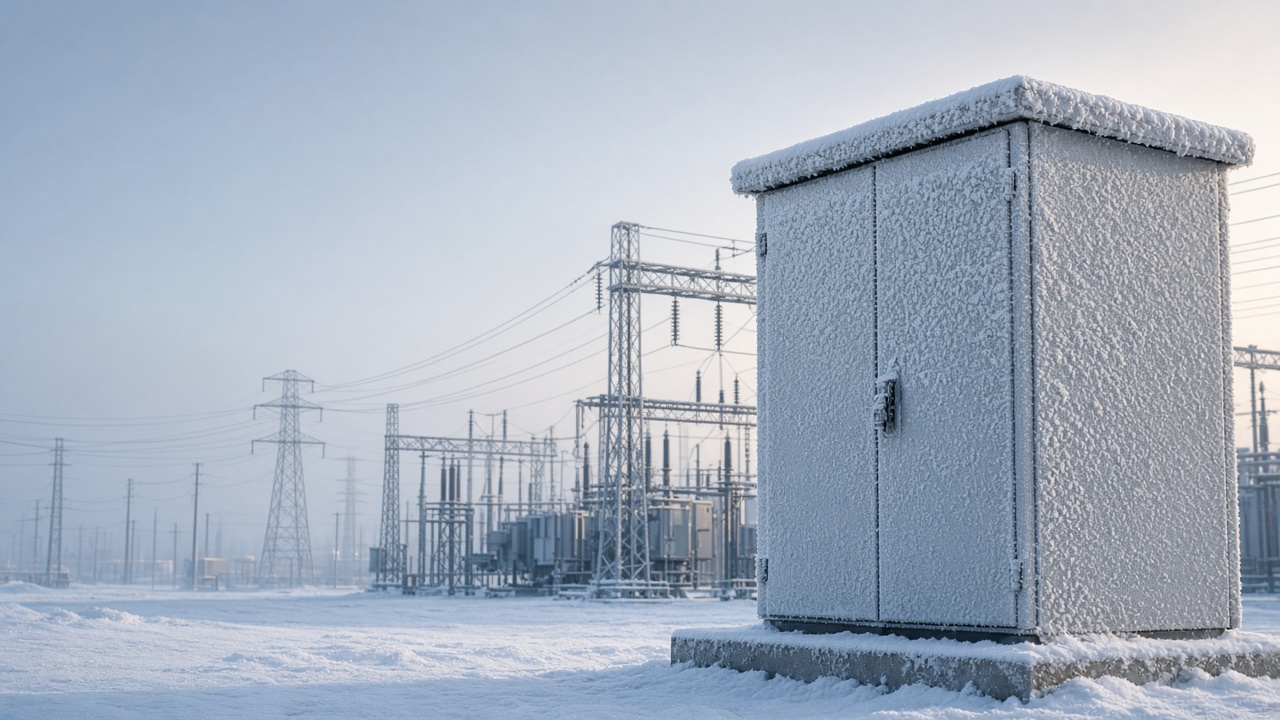
    Engineering review for battery energy storage enclosure climate control

    Next step

    Provide the battery type, enclosure dimensions, heat load, operating temperature range, power supply, and integration requirements. NOXT can help define a representative climate-control configuration for engineering review.